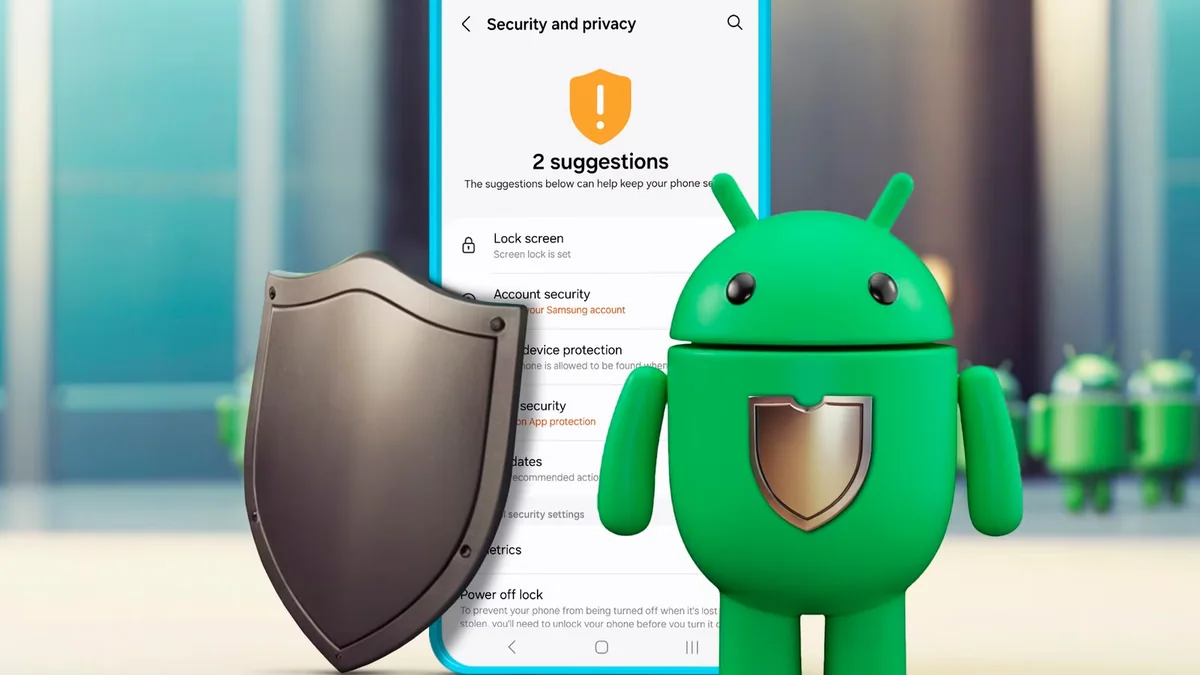
Inspecting dozens of rogue 'BD Casino APK' files scraped across Telegram channels exposed the single deadliest vulnerability facing mobile players: fake APKs silently bundle RECEIVE_SMS and BIND_ACCESSIBILITY_SERVICE permissions to hijack incoming bKash and Nagad transaction OTPs behind cloned login UIs.
Quick Verdict (TL;DR): Installing verified Android casino APKs outside Google Play is safe ONLY when obtained straight from official HTTPS domains, checked carefully via Google Play Protect scanning, stripped immediately of SMS/Contacts/Accessibility permissions, and followed by disabling 'Install Unknown Apps' right afterward.
Android dominates smartphones across Bangladesh—yet whenever legitimate platforms distribute native APKs directly rather than through Google Play Store listings, fake impersonators flood search engines and Telegram chats immediately with poisoned lookalike APK packages. A single careless click installing an unverified .apk onto a handset storing active bKash or Nagad SIMs risks devastating account drainage.
Safe side-loading isn't guesswork! Android builds powerful inspection guardrails directly into every modern OS settings menu—allowing smart players to inspect file origin, verify SHA checksum hygiene, watch Google Play Protect behavior, and reject over-reaching permissions cold BEFORE tapping Install.
Follow this strict cybersecurity pre-install checklist every single time before downloading Android gaming packages.
Is It Safe to Install a Casino APK Outside Google Play Store?
Side-loading a direct casino APK is safe ONLY when downloaded exclusively from an authentic, HTTPS-verified brand domain—never from Telegram forwards, shortened URLs, or stranger WhatsApp links—and checked cleanly against Android permission rules.
Follow core Android side-loading security best practices maintained by Android platform security documentation alongside independent app trust principles at eCOGRA certification framework. Always remember why genuine gaming brands never circulate installers through unsolicited private DMs:
Verification Step
Safe Verified Hub APK
Dangerous Trojan / Cloned APK
Action Taken Immediately
Download Origin
Direct encrypted HTTPS URL you typed/bookmarked
Google Drive link, MediaFire zip, or Telegram bot
Abort downloads from external file hosts cleanly
File Size & Extension
Clean <code>.apk</code> (~15–35 MB typically)
Weird <code>.apk.exe</code>, <code>.zip</code>, or tiny <2 MB dropper
Never unzip/run unknown tiny dropper loaders
Permission Prompts
Internet + Local Cache Storage ONLY
Requests SMS Read, Contacts, Call Logs, Overlay
Click DENY & Uninstall immediately if requested
Google Play Protect
Clean pass or clear developer signature prompt
Explicit Red Warning: 'Harmful / Banking Spyware'
Obey Play Protect blocks ruthlessly—never bypass Red flags
Four Poisoned Permissions Every Fake bKash/Nagad Stealer Demands
A legitimate slot, crash, or cricket app has ZERO operational reason to read incoming SMS texts, inspect phone contacts, watch other apps via Accessibility, or draw transparent overlays atop bKash screens.
Open Android Settings -> Apps -> [App Name] -> Permissions right after installation to verify zero hidden flags sit granted:
READ_SMS / RECEIVE_SMS: Classic mobile banking spyware harvesting incoming bKash, Nagad, Rocket, and bank OTP verification strings.
BIND_ACCESSIBILITY_SERVICE: Grants full screen-reading and automated ghost-clicking control inside separate finance apps—zero gaming use ever!
READ_CONTACTS: Scrapes family/friend numbers used afterward for extortion harassment or social impersonation.
SYSTEM_ALERT_WINDOW (Display Over Other Apps): Allows scam overlays to cloak fake PIN pads directly over banking apps cleanly.
Zero exceptions rule: If ANY casino, Aviator, or Crazy Time APK ever prompts you to toggle Accessibility Services ON inside Android Settings ('Needed to optimize crash speed'), DELETE IT IMMEDIATELY and change your mobile banking PINs!
Safe Side-Loading Routine: Toggling 'Unknown Apps' Off Immediately
Never leave Android Chrome 'Install Unknown Apps' toggled permanently ON—enable it purely for your single verified APK install moment, then toggle it squarely back OFF immediately afterward.
Run this crisp hygiene workflow whenever installing official Android updates via our Official Mobile App Center:
Verify clean domain spelling and green/grey HTTPS padlock inside mobile Chrome BEFORE pressing Download.
Allow Chrome 'Install unknown apps' temporarily strictly during installation, letting Google Play Protect scan the package cleanly.
Open Android Settings -> Apps -> Special app access -> Install unknown apps -> toggle Chrome straight back OFF once done!
Prefer zero binary exposure? Skip APKs completely and pin our full-screen Chrome 'Add to Home Screen' Progressive Web App instead!
Why Android Chrome PWA Is the Safest Alternative to Any APK
Creating a Home Screen shortcut directly through Android Chrome delivers crisp full-screen icon launch, automatic HTTPS encryption, and hardware sandboxing—completely eliminating manual .apk files altogether.
Seriously consider the zero-install PWA route especially if your primary smartphone handles heavy merchant bKash balances daily! Everything from JILI Super Ace to Aviator Crash runs cleanly in HTML5 tabs.
Optional Pro Habit: Separating Banking SIMs From Entertainment Phones
High-volume Bangladeshi cricket and casino regulars frequently maintain a secondary play device or isolate heavy mobile banking apps strictly on biometric App Locks separate from daily browsing handsets.
Even without a second handset, toggling Android App Lock (Biometric PIN) directly onto bKash, Nagad, and Rocket plus guarding Chrome autofill protects real wealth strongly against stolen handsets or malicious downloads.
Never Install 'Modded / Unlimited Money / Predictor' Casino APKs
There is no such thing as a 'Modded Super Ace APK' or 'Aviator Hack v5.0 APK' capable of generating real withdrawable Taka—hacked APKs exist exclusively as malware lures preying on desperate players.
Re-Verifying App Authenticity Before Every BDT Deposit
Whenever a downloaded app suddenly redirects checkout windows onto weird WhatsApp phone numbers instead of crisp embedded automated TrxID dashboards, halt immediately and re-verify origin via official login channels.
Check complete bKash TrxID standards so every Taka entered goes purely through verified cashier channels.
Responsible Gaming & Bangladesh Player Safeguards (18+)
Protecting device cybersecurity preserves financial dignity just as critically as bankroll limits. Never sacrifice mobile wallet safety chasing too-good-to-be-true modded APKs or shady bonus promises.
Is installing a casino APK outside Google Play Store risky in Bangladesh?
Downloading APKs from random Telegram channels, ads, or unverified mirror sites is extremely dangerous due to OTP-stealing malware; downloading strictly via verified HTTPS official brand hubs or using zero-install Chrome PWAs stays safe.
What Android permissions should a safe casino APK ask for?
Only basic Network Internet access and minimal local storage caching. Never allow SMS read, Contacts, Call Logs, or Accessibility overlay permissions.
Why does Android warn 'File might be harmful' when downloading an APK?
Chrome displays that generic browser notice for ANY <code>.apk</code> file downloaded outside Google Play Store regardless of legitimacy—still always inspect Play Protect scan screens and exact permissions before confirming.
Can I use Chrome 'Add to Home Screen' on Android instead of downloading an APK?
Yes! Chrome's Progressive Web App shortcut behaves like a clean native icon with zero side-loading risk and zero manual update steps.
What happens if Google Play Protect flags an installed betting APK red?
Uninstall it immediately without hesitation, run a full Play Protect device scan, and rotate any passwords or mobile banking PINs entered while that package resided on your phone.
Ready to Play Fake Casino Apk Warning on VIPTaka86?
Open a verified +880 wallet from 100 BDT via bKash or Nagad. Sign in safely anytime through our official portal (18+ only).