How do I add a casino web app to my iPhone Home Screen?
Open the verified URL in Apple Safari, tap the central bottom Share box (square with upward arrow), scroll down, and tap 'Add to Home Screen'.
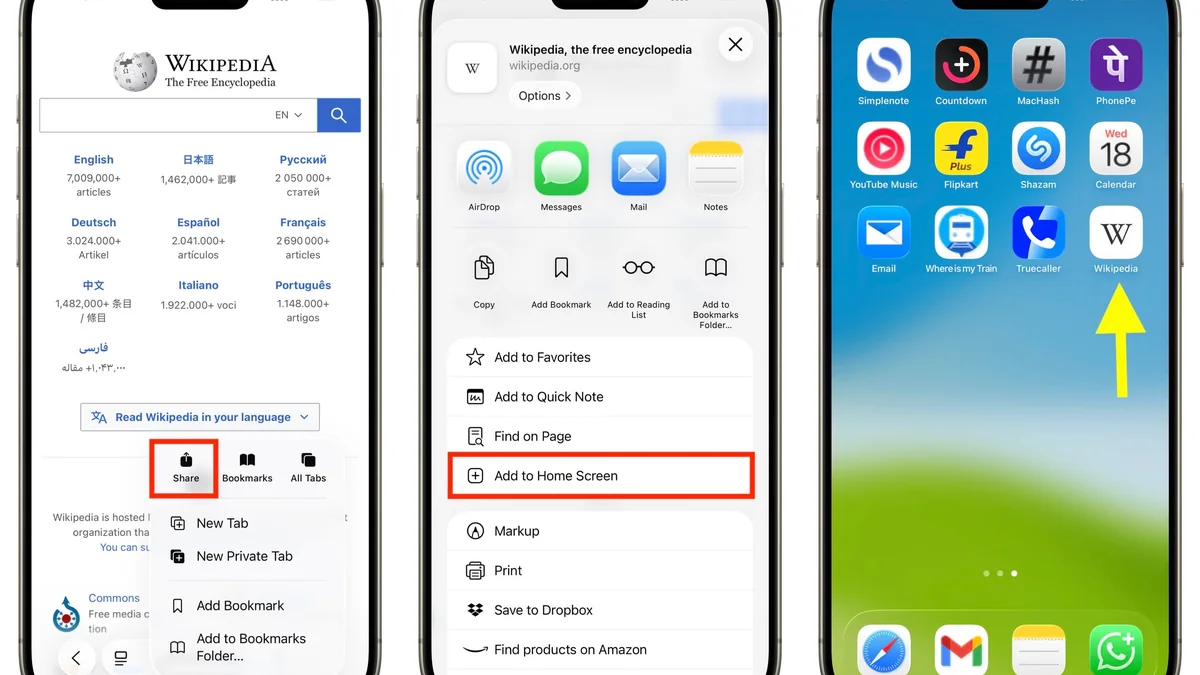
Apple never lists offshore BDT casino apps inside the Bangladesh App Store—and installing shady third-party Enterprise Developer Profiles exposes iPhones to silent security revocation every few weeks. Using Safari's built-in Progressive Web App (PWA) Share action creates a native full-screen iOS home icon with zero expired certificates.
Bangladeshi iPhone users frequently bump into dead ends searching the Apple App Store for casino or live cricket exchange apps—prompting frantic hunts for 'TestFlight invites' or clunky MDM Enterprise Configuration Profiles downloaded off random blogs. Those sketchy Enterprise profiles routinely crash overnight whenever Apple revokes signing keys AND grant excessive iOS device profiling access.
Apple built a cleaner native alternative directly inside every modern iOS browser: Progressive Web App (PWA) Home Screen shortcuts! Adding our verified mobile web lobby cleanly onto your iPhone Home Screen strips out Safari tabs and address bars cleanly, mimicking native Swift app immersion while pulling live HTML5 updates automatically.
Follow the exact four-tap Safari pinning steps, FaceID password setup, and why Chrome-iOS differs slightly right below.
Protect iOS privacy and smooth game access by comparing both iPhone options honestly:
| iOS Access Comparison | Safari 'Add to Home Screen' PWA | Third-Party iOS Enterprise IPA Profile |
|---|---|---|
| Apple Profile Trust Prompt? | None required (100% sandboxed WebKit) | Demands trusting unknown Enterprise Developer keys |
| Sudden 'App No Longer Available' Crash | Never expires across iOS updates | Revoked regularly by Apple security sweeps |
| FaceID Keychain Autofill | Works automatically inside iCloud Keychain | Often breaks or demands re-typing every update |
| Full-Screen Game View | Yes (Hides URL bars cleanly on launch) | Native shell wrapper (heavier local footprint) |
| BPL / Evolution / JILI Parity | 100% full HTML5 compatibility | Identical backend web view wrapped inside IPA |
Don't panic if 'Add to Home Screen' fails to appear when clicking a link from Facebook Messenger—Apple restricts PWA pinning cleanly to Safari (or modern iOS 16.4+ Edge/Chrome share drawers):
When transitioning between your iOS Home Screen casino PWA and your official Bangladeshi bKash or Nagad app during quick deposits, Apple iOS background memory holds your cashier tab open cleanly if Low Power Mode sits OFF—preventing frustrating lost payment screens mid-TrxID copy!
Because iOS WebKit obeys hardware audio toggles slightly differently than Android Chrome, toggling iPhone's physical Mute switch silences accidental evening studio chimes immediately on trains or quiet bedrooms.
Verify smooth login recovery steps inside Login Help anytime without worrying about wiping other Apple app logins.
Always complete mobile banking transfers smoothly over direct Bangladesh Grameenphone, Robi, Banglalink, or local fiber Wi-Fi IPs so geo-consistency clears automated payout checks smoothly.
Explore full sportsbook setup tweaks via Mobile Sportsbook Setup right after pinning your iOS icon.
Pinning one-tap full-screen icons onto your main iPhone dock makes midnight impulsiveness effortless. Tuck the PWA shortcut inside a calm folder away from page-1 home screens to maintain conscious session breaks.
Independent, confidential counselling and blocking tools are available free of charge via GamCare Support, GambleAware Guidance, and Gamblers Anonymous. Review full self-limit procedures in our Bangladesh Responsible Gambling Guide.
Open the verified URL in Apple Safari, tap the central bottom Share box (square with upward arrow), scroll down, and tap 'Add to Home Screen'.
In-app mini browsers inside Facebook/Telegram hide Safari's native PWA installation actions; tap the bottom-right Safari compass icon to open the page in real Safari first.
Yes—100% safer. Safari PWAs stay inside Apple's strict native browser sandbox with zero shady third-party developer certificates or sudden certificate revocations.
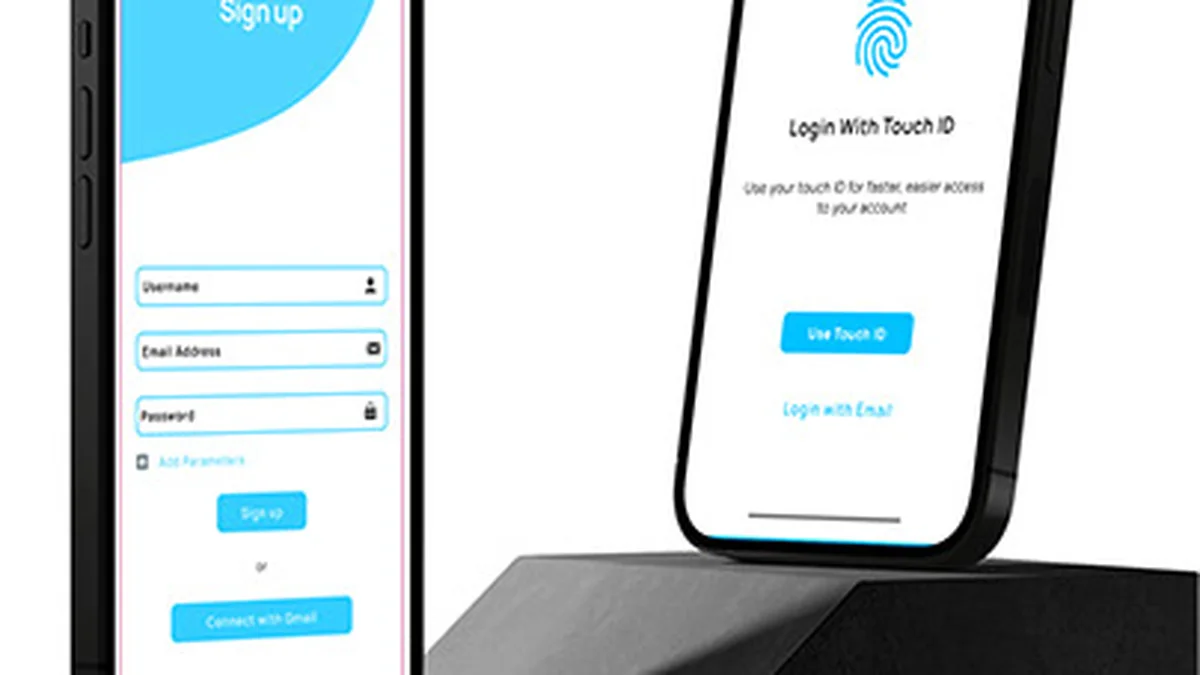
Yes. Credentials saved securely inside Apple iCloud Keychain auto-fill cleanly with FaceID or TouchID directly inside Home Screen PWA frames.
Yes. Disabling random foreign VPN hops avoids sudden IP country mismatches that occasionally block local Bangladeshi checkout gateways or flag security holds.
Open a verified +880 wallet from 100 BDT via bKash or Nagad. Sign in safely anytime through our official portal (18+ only).