

Can I track a bKash transaction ID publicly online?
No public web tracker exposes private bKash TrxID transfers due to financial privacy rules. Only the sender, receiver, and authorized carrier support view receipt details inside the app.
Half of support disputes in Bangladesh trace back to misreading a 10-character bKash TrxID—especially confusing uppercase letter 'O' with zero '0', lowercase 'l' with digit '1', or reusing an expired invoice ID after network timeouts.
Seeing BDT deduct from your bKash wallet without an immediate update in your casino balance triggers instant panic. Before sending a second deposit or falling for fake Telegram recovery admins, understand how TrxID verification actually executes behind the cashier.
This troubleshooting manual walks through TrxID anatomy, real-time webhook matching, statement retrieval, and exact evidence required to resolve delayed credits cleanly.
Knowing your carrier's exact code syntax prevents pasting wrong phone numbers or invoice timestamps into verification inputs. Compare standard Bangladeshi payment receipt identifiers below.
| Payment Network | Code Label | Typical Format & Length | Where Located | Common Copy Mistake |
|---|---|---|---|---|
| bKash | TrxID | 10 chars (e.g. BL94X72K1M) | SMS from bKash / App Inbox | Mixing letter O with zero 0 |
| Nagad | TxnID | 8 chars alphanumeric (e.g. 74K92MPX) | Nagad App History / SMS | Entering recipient mobile instead |
| DBBL Rocket | Txn Id | 10–12 digit numeric ID | SMS from 16216 / App Log | Omitting trailing 12th check digit |
| Upay | TrxID | Alphanumeric receipt string | Upay Transactions tab | Copying reference note instead |
| USDT TRC20 | TxHash | 64-char hex string | TronLink / Binance History | Entering wallet address instead of TxHash |
Notice why even a tiny 10 BDT typo breaks instant automation cleanly. If your cashier order requested 1,000 BDT and you sent 990 BDT, the SMS parser holds the unmatched event safely until support manually links your receipt—preventing automated double credits.
Compare live bKash steps inside bKash Deposit Workflow or check official wallet statement retrieval via Nagad receipts.
Following clean escalation preserves exact database audit trails inside the finance queue.
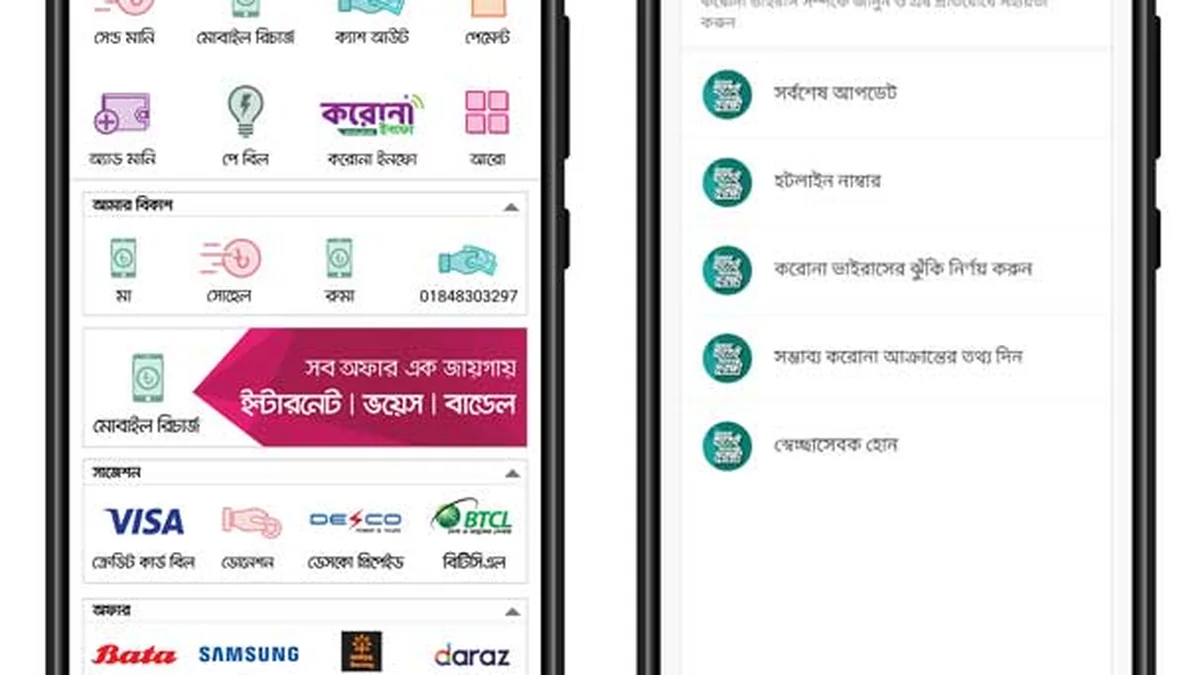
Inside the official bKash app, tap the top-right bKash Bird logo -> Statements -> Transaction Summary to review monthly send-money outflows and reconcile casino entertainment spend against personal budgets.
Some Telegram fraudsters reply with doctored SMS images showing a bogus TrxID when buying or selling balances. Always confirm real incoming credits inside your own live bKash App History rather than trusting forwarded screenshots; check Scam Prevention.
Remember that legitimate automated cashier gateways verify incoming TrxID strings against live API settlement webhooks—never off static pictures pasted inside Messenger! If an unverified stranger asks you to type someone else's TrxID into your account or claims your genuine receipt was 'already claimed by another user', open in-app live support immediately with uncropped app inbox evidence.
Check common mobile typing mistakes before hitting Submit inside your bKash Cashier: avoid copying trailing spaces at the end of 10-character alphanumeric codes, always round deposits identically to your open cashier quote (ignoring standard 5 BDT carrier Send Money charges added separately by bKash), and close expired 5-minute forms cleanly before starting a fresh transfer.
Technical settlement hiccups should never push impulsive double-depositing. Pause calmly until any stuck TrxID reconciles before adding fresh funds; 18+ leisure rules only.
Independent, confidential counselling and blocking tools are available free of charge via GamCare Support, GambleAware Guidance, and Gamblers Anonymous. Review full self-limit procedures in our Bangladesh Responsible Gambling Guide.
No public web tracker exposes private bKash TrxID transfers due to financial privacy rules. Only the sender, receiver, and authorized carrier support view receipt details inside the app.
bKash uses 10-character alphanumeric codes (such as BKL94X12PQ), whereas DBBL Rocket and Indian UPI systems use numeric 10-to-12-digit identifiers.
Once you submit the full uncropped bKash app receipt showing TrxID and timestamp inside live chat, finance teams resolve valid mismatches in 10 to 30 minutes.
Open the bKash app, tap Statements on the upper navigation menu, choose Transaction History or Monthly Statement, and inspect outgoing P2P entries cleanly.
No. Calling official helpline 16247 or verifying inside the app Inbox costs zero extra settlement fee.
Open a verified +880 wallet from 100 BDT via bKash or Nagad. Sign in safely anytime through our official portal (18+ only).